
37% Lighter Trolley Cart for FleetPride — Validated in Ansys
FleetPride's axle trolley cart redesigned in Ansys — 37% lighter (210 lbs → 132 lbs) while maintaining full 1,000 lb rated capacity.

In any engineering office, you need the right CAD files. If you’re working in SolidWorks and trying to use old CREO files, you’ll run into a ton of issues. Non-native files lose a lot of information, like material properties, visual properties, design tree history, and threading information. In some cases, you might not be able to open the file at all.
This is where outsourced CAD translation services can really help. At CAD/CAM Services, our suite of conversion services can help you transform all of your files into native CAD files. Our services will save you time and money, while unlocking a new level of functionality for every file you open.
This process can be overwhelming if you try to handle it yourself. You’ll spend hours and hours redoing work, just trying to get functional parts. Instead, you can let our engineers work around the clock to provide professional CAD translation.

CAD translation services will take a file in one CAD software and turn it into a native file within a different CAD program. Our CAD translation can be done a few different ways, and it really depends on what you’re looking for. In some cases, a simple conversion program can be used to translate your files from one CAD platform to another, then our engineers will do quality checks and fill in the gaps.
In other cases, we’ll have to redraw the files in your new CAD program from scratch. We’ll use the non-native CAD file to pull dimensions and characteristics, then we’ll start a new drawing in your CAD software of choice and physically redraw the part.
Regardless of the process we use, you’ll be left with a native CAD file that has all the information you need.
By outsourcing this work, you don’t have to worry about assigning your engineers to a time-consuming and meticulous project like this. Plus, our team has decades of experience performing CAD Perfect® CAD translations. We’ve translated millions of files over our 35+ years in business, so we know a thing or two about CAD translation.

A professional-quality CAD translation company will work wonders for your company. With native CAD files, you can get more information, make changes easier, go through full assemblies and fitments, do engineering simulations, and prepare your parts for manufacturing — the same can’t be said for the original non-native CAD file.
However, there’s a big difference between CAD translation companies when it comes to quality. Some companies will simply run your files through a converter software and send them back without quality checking anything. This is a great way to have issues with your new files.
At CAD/CAM Services, we go the extra mile to ensure every file is CAD Perfect®. We do peer reviews, quality checks, and we redo anything if we’re not completely certain it’s perfect. This is just another way that we ensure our clients are satisfied with the work we deliver.

When you choose CAD/CAM Services, you’ll notice a lot of differences. We offer benefits that you won’t find elsewhere, and our CAD translation services can work wonders for you:

We can translate files within any major CAD program on the market:
Regardless of what files and how many files you’d like to translate, allow our professionals at CAD/CAM Services to help. With over 100 engineers and drafters working around the clock to provide 24/7 coverage, we can deliver high-quality results faster. Get a free quote today and get your own CAD Perfect CAD Conversions®.
FleetPride's axle trolley cart redesigned in Ansys — 37% lighter (210 lbs → 132 lbs) while maintaining full 1,000 lb rated capacity.
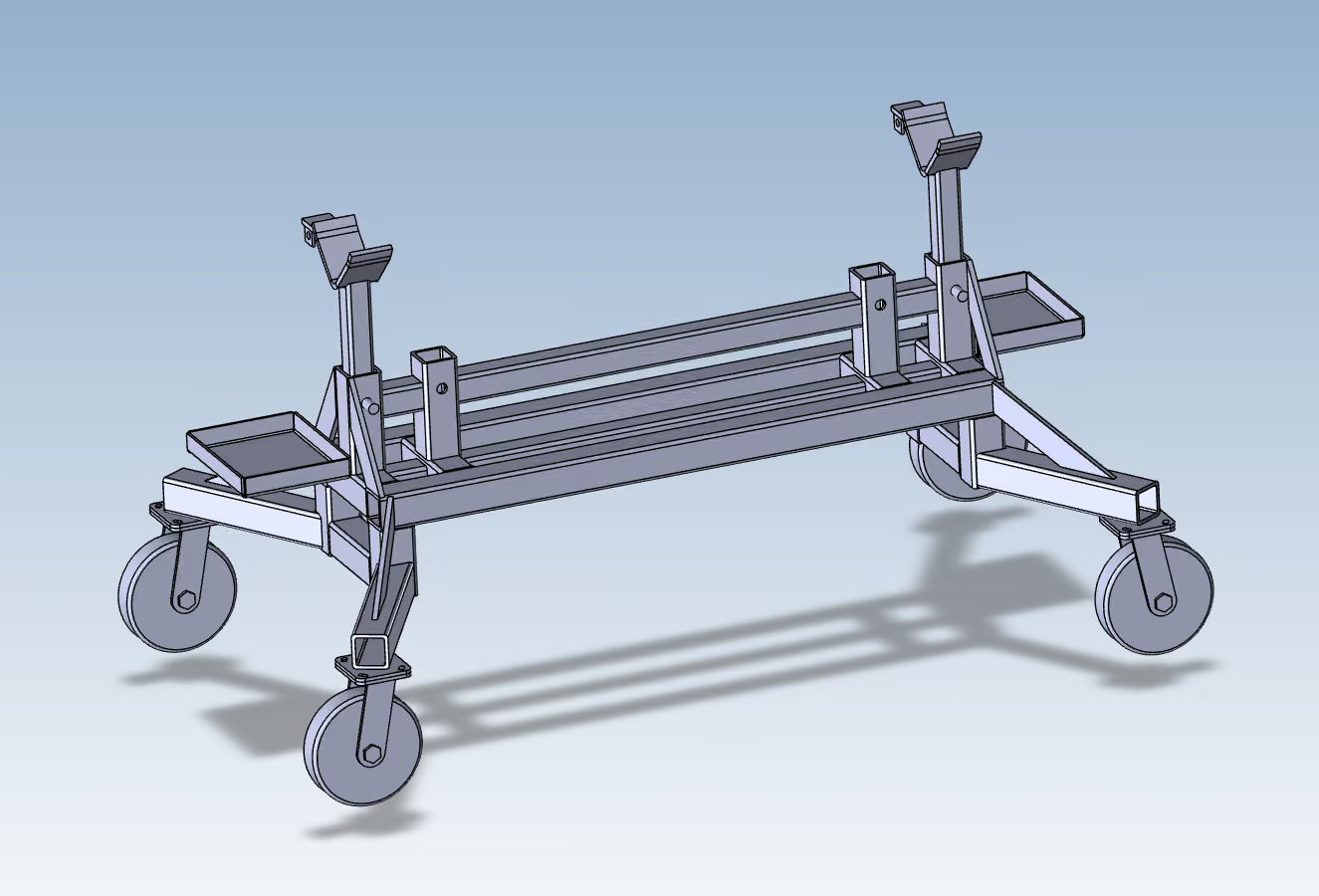
FleetPride's axle trolley cart redesigned in Ansys — 37% lighter (210 lbs → 132 lbs) while maintaining full 1,000 lb rated capacity.
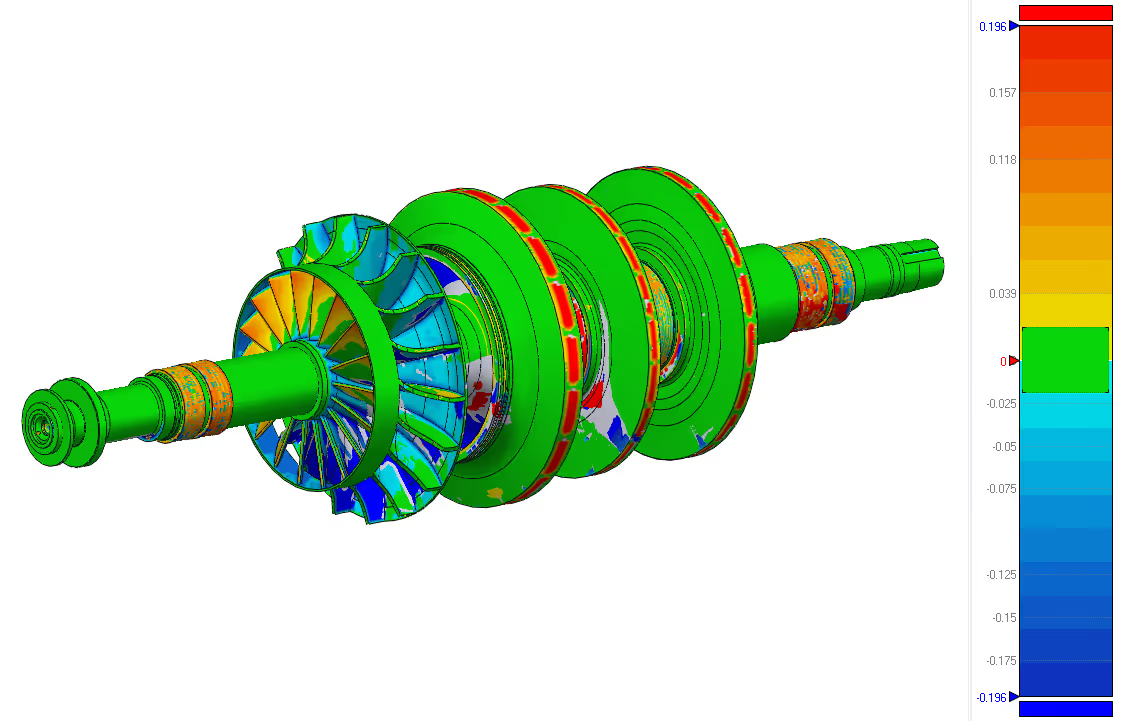
A client needed a replacement rotor shaft for industrial equipment. Original CAD files, drawings, and specifications were unavailable.
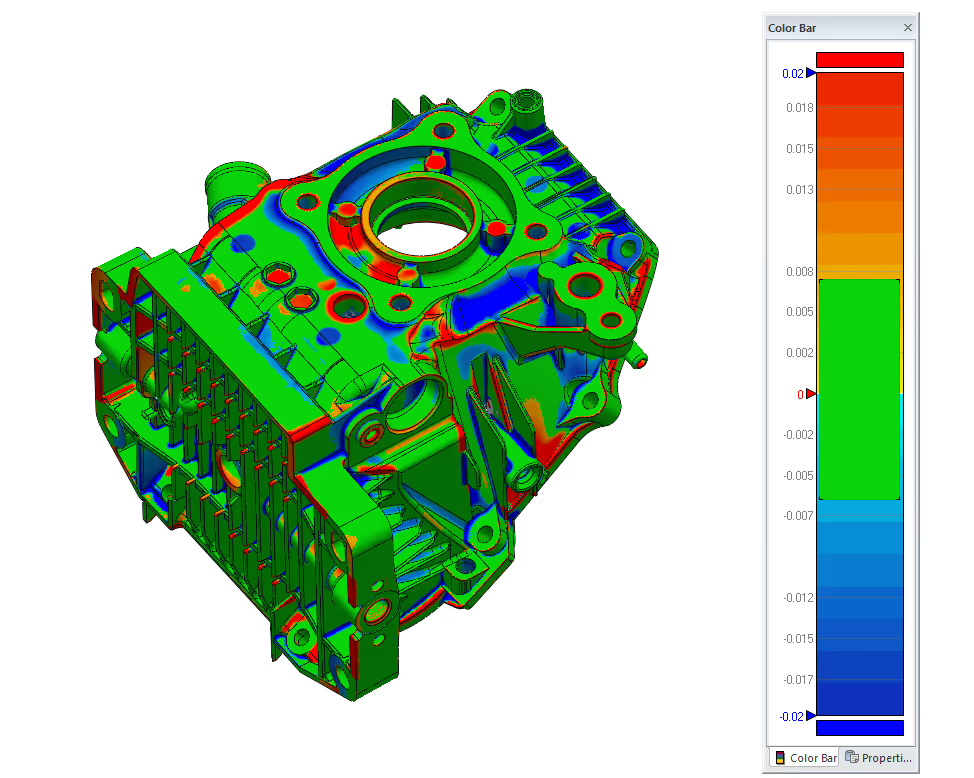
In this case study, we aimed to create a full digital model of an engine casing. This casing had no current CAD files, outdated drawings, and undocumented shapes because of years of use and part changes.

We were recently tasked with recreating a fan housing using only the client’s original paper drawings.
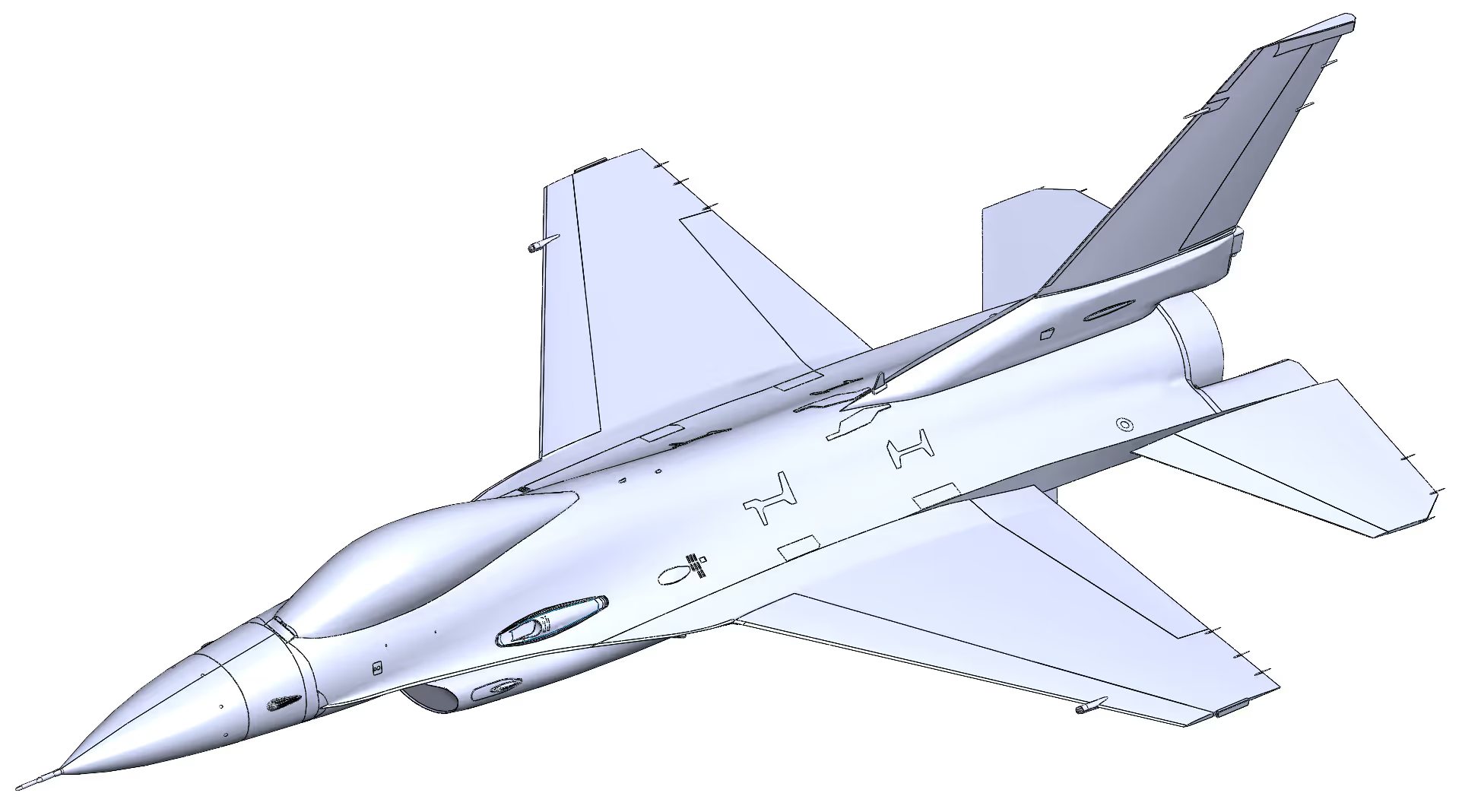
This case study describes how we helped a defense customer turn a dense point cloud into a usable surface model. This model was a CAD surface for an F‑16 that could feed straight into simulation.
On behalf of JJET Enterprises, I just wanted to thank you and Cad / Cam Services again for the great job and quick turn-around time on the job that we sent you. We would recommend you and definitely will be doing business with you in the near future.
James R. Thomas
JJET Enterprises
On behalf of JJET Enterprises, I just wanted to thank you and Cad / Cam Services again for the great job and quick turn-around time on the job that we sent you. We would recommend you and definitely will be doing business with you in the near future.
James R. Thomas
JJET Enterprises
On behalf of JJET Enterprises, I just wanted to thank you and Cad / Cam Services again for the great job and quick turn-around time on the job that we sent you. We would recommend you and definitely will be doing business with you in the near future.
James R. Thomas
JJET Enterprises
.svg)

On behalf of JJET Enterprises, I just wanted to thank you and Cad / Cam Services again for the great job and quick turn-around time on the job that we sent you. We would recommend you and definitely will be doing business with you in the near future.
James R. Thomas
JJET Enterprises
“You ROCK and a huge thank you to you and your team for working so diligently to hit our goals.”

Greta Nintzel
Content & Digital Media Associate, Rich Media Team (amazon supply)
Thank you so much for all of your help.
It is greatly appreciated.

Angie
CTR USARMY CCDC ARL (USA)
“CAD / CAM Services has been our source for all CAD related projects over the past 10 years. If it involves CAD conversion or large format scanning, CAD / CAM SERVICES is always our first call.”
Bill Johnson Jr.
Dallas Aerial Surveyors
“CAD / CAM Services provided timely professional consulting advice and guidance that greatly helped us configure our platform for current and near-future expansion needs. Many thanks to Scott Shuppert for all his hard work on this project.”

Richard Schmitter
GTE Media Ventures
“We used CAD / CAM Services for CAD conversion work and it was great! We have already decided to use them for our next project. They did everything they said they were going to do and more. The work turned out well.”

Pete Iannuzzi
Sony Music
“You have been absolutely the BEST Company to work with in my entire career. I almost hate to see us finish our Mylars!”

Jerry McNabb
R Civ USAF – Tinkers Air Force Base
“We used CAD / CAM Services for scanning and converting film and also the purchase and install of IMR’s Electronic Document Imaging Product – Alchemy. They know what they are doing and it has turned out to be a smart purchase for us. We will be adding additional licenses of this product, along with additional scanning and conversion services from them.”

Bill Scott
City of Carrollton
“CAD / CAM Services scanned > 6,000 maps for us and sold and installed a scanner and an EDMS system to our district. It has turned out to be a great investment for our district. We had several competitive firms compete on cost and scanning quality. CAD / CAM Services was the hands-down winner for myself, the engineering staff and the board. We are presently publishing the images on the internet and plan to continue using CAD / CAM Services They treated us fairly and delivered on-time and on-budget.”

Bo Daffin, CTA, RPA
Deputy Chief Appraiser of Central Appraisal District of Collin County
“RISD has been using CAD / CAM Services for years and has no need to consider anybody else. We have used them for scanning thousands of drawings and the install of our engineering/facilities management EDMS system.”

Greg Schulz
Richardson Independent School District
“CAD / CAM Services converted our plant drawings into AutoCAD and they turned out well. We will use them again.”

Phillip Schmidt, Jr.
District Plant Engineering Manager, UPS
“We purchased several Cyco’s AutoManager Workflow licenses from CAD / CAM Services and it has worked out well. We intend to add to this as budget allows”.

Nathan Jones
City of Garland Texas, Engineering Department
“Overall it looked really nice. I definitely like your approach of doing the internals 1st. It really gives me a better idea of what I’m actually programming.”

Shane Duncan
Engineering Manager – W Machine Works Inc.
“CAD / CAM Services was so easy to work with. They delivered our project on time and on budget. I highly recommend.”
Nikko Meyers
Scan Direct
“CAD / CAM Services digitized and converted Electric Utility maps to AutoCAD for our firm. We have been very pleased with the quality of their work and have found CAD / CAM Services to be cooperative and easy to work with.”

Ed Turk
V.P. Cornelius – Pierce Consulting Engineers
“CAD / CAM Services provided timely professional consulting advice and guidance that greatly helped us configure our platform for current and near-future expansion needs. Many thanks to Scott Shuppert for all his hard work on this project.”

Chris Kidd
Dilon Technologies
.svg)
