
Why You Should Convert Hand Drawings into CAD
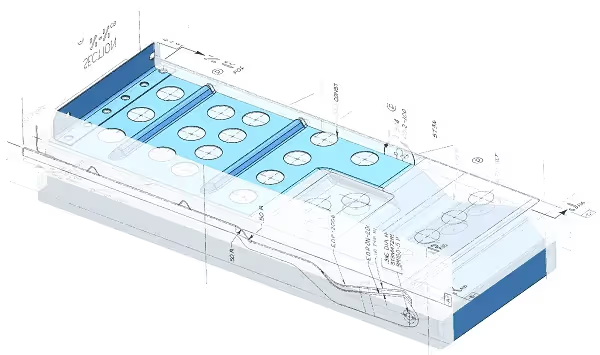


Your hand drawings might be working for your business, but there are certainly times when they fall short. Updating them is a pain, and it’s always hard to get a machine shop to quote a part using a hand drawing for reference. Maybe it’s time to upgrade your hand drawings into CAD files?
In this guide, we’ll explain why you should convert hand drawings into CAD. We’ll give you plenty of real-world examples that we’ve seen in the past.
How to Convert Hand Drawings into CAD
Converting hand drawings to CAD is a very labor-intensive process. You need to use the hand drawing as a reference, then draw the part from scratch in your CAD program of choice. Any automatic “conversion software” should be avoided — instead, hand drawings should only be converted by manually drawing the new piece on CAD.
Benefits of Converting Hand Drawings into CAD
You Can Change the Design
When you draw it in CAD, you can quickly save new revisions without any issues. Do you have a legacy design that needs to be updated? Start with a CAD conversion.
Quickly Collaborate, Share, and Send the Drawing
With digital files, sharing information becomes a lot easier. You can email your CAD drawing as an attachment and have your coworker look at the design. You could also have multiple people working on the same file.
Get Quotes Quickly
Some people do a CAD conversion simply to get quotes from machine shops. Modern shops all prefer to have a CAD file to look at. Since the file would be digital, you can send it to a dozen shops at the same time for a quote.
Protect the Drawing from Physical Damage
What happens if your backroom gets flooded, there’s a fire, or a disgruntled employee causes damage? In any of these cases, your physical drawings could be lost forever. A quick CAD digitization can save you from this. With regular server backups, you don’t have to worry about lost drawings anymore.
Make Drawings Easier to Read
Digitizing the model to CAD gets rid of potential confusion. There’s no way to confuse the typed-out numbers. Even if there is confusion, the machinist could open the CAD file and measure the line to double-check.
Double-Check Dimensions
When you draw it in CAD, you’re forced to dimension everything correctly since it’s drawn in a 1:1 scale.
Conclusion
Converting hand drawings to CAD files is very important for any modern company. It can protect your drawings, make collaboration easier, create more legible drawings, and allow for quicker quotes. If you want to quickly convert your drawings, turn to CAD/CAM Services. We’ll make the CAD drawings from scratch using the best practices and delivering CAD Perfect drawings. Get a free quote today.

Recent Posts

How to Choose a CAD Outsourcing Partner for Aerospace That Preserves Your Design Intent
Learn how to choose a CAD outsourcing partner for aerospace. Avoid costly data translation errors. 35+ years of experience guide your selection.

6 Easy Steps to Convert a 2D to 3D Model Using SolidWorks
Take a Look at Our Case Studies! Solidworks as a platform offers two main 2D to 3D pathways; drawing from scratch and remodeling existing ‘.DWG’ and ‘.DXF’ files as 3D models. The functionality of importing an existing 2D drawing and upgrading it into a...

Tips for Picking the Perfect 3D CAD Viewer for Your Needs
This guide will teach you about 3D CAD viewers and outline considerations to make before picking the right one. We review 5 options and pick a clear winner.