
Raster to Vector Using WiseImage Software


What is WiseImage?
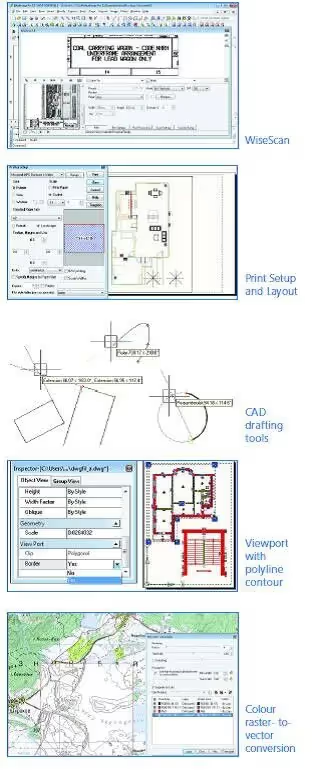
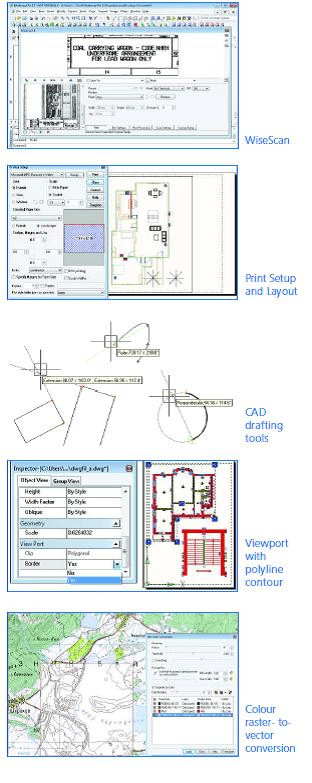
WiseImage is a commercially available software package that helps to automate the process of raster to vector conversion.
Who uses WiseImage?
WiseImage is a solution for anyone who needs to restore, update, or revise a raster or vector drawing.
WiseImage works over a wide range of applications – GIS, cadastral, aerial and satellite image processing, architecture, engineering, schematics, and others.
WiseImage Features We Like
- Native CAD-style interface with a command line and layouts with viewports
- High-end image processing
- Works exactly like a CAD application
- Processes raster files as well as the best image processing application
- Premium raster tools process scanned drawings, imagery, or other raster graphics
- “Hybrid” feature lets users work with raster and vectors together as if it is a single vector drawing.
WiseImage’s Benefits
- Advanced solution for raster, vector and raster-to-vector conversion
- The powerful suite of lets you edit scanned drawings and maps easily
- Saves redrafting time and accelerates productivity
- Automatic R2V and V2R conversion
In Conclusion
WiseImage is 2D CAD standalone application for raster editing, raster-to-vector conversion, and drawing revision. WiseImage enables quick changes, editing, and correction, or automatic and semi-automatic raster-to-vector conversation of technical drawings, scanned maps, plans, drafts, sketches, and other graphics. It blends raster and vector with CAD functionality and image processing capabilities. WiseImage is one of the many rasters to vector tools that we use here at CAD / CAM Services, Inc. We can help you decide if it’s a tool you should use.

Recent Posts

How to Choose a CAD Outsourcing Partner for Aerospace That Preserves Your Design Intent
Learn how to choose a CAD outsourcing partner for aerospace. Avoid costly data translation errors. 35+ years of experience guide your selection.

6 Easy Steps to Convert a 2D to 3D Model Using SolidWorks
Take a Look at Our Case Studies! Solidworks as a platform offers two main 2D to 3D pathways; drawing from scratch and remodeling existing ‘.DWG’ and ‘.DXF’ files as 3D models. The functionality of importing an existing 2D drawing and upgrading it into a...

Tips for Picking the Perfect 3D CAD Viewer for Your Needs
This guide will teach you about 3D CAD viewers and outline considerations to make before picking the right one. We review 5 options and pick a clear winner.